Manage your gigs in one spot.
Send each musician their invitation, see who's in, put the gig on everyone's calendar, and keep track of who's been paid.
Sat, Nov 14, 8:00 to 11:00 PM
Saturday night jazz trio
Dizzy's, San Diego
-
$275 Accepted
Nina Okafor
Piano
-
$275 Accepted
Ray Delgado
Drums
Notes for the band: two sets of standards. Load in by 7:30, dark clothes.
How it works
Band Leaders and Side Musicians both can use My Gig Calendar.
From the first booking to the end of the tax year, each gig moves through the same six steps.
-
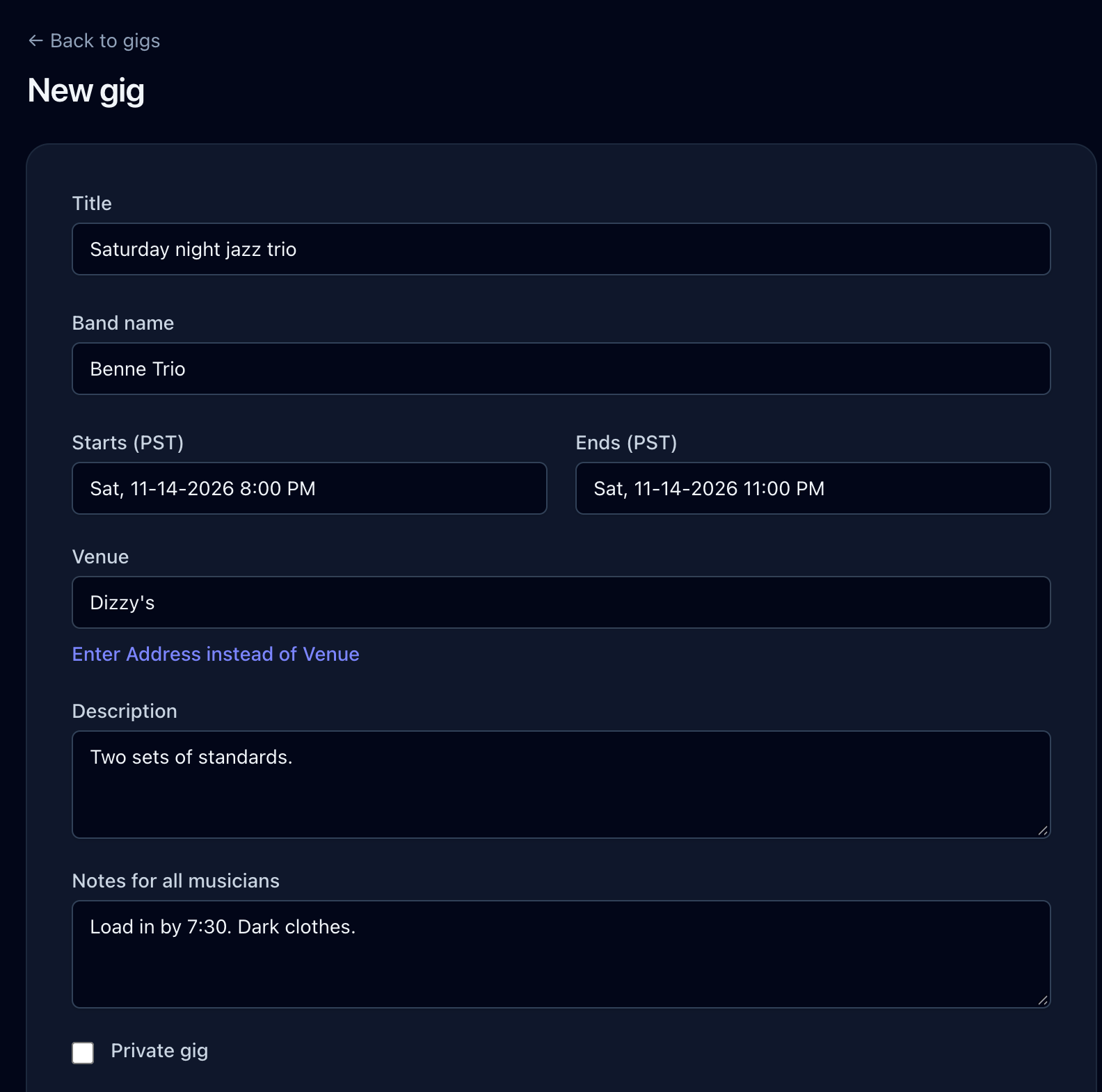
Create the gig
Enter the date, the venue, the band name and notes for everyone once. That is the single source the whole band reads from.
-
Invite the musicians
Choose players from your musician list and set each one's pay. They get an invitation by text or email with the when, the where and what they will earn, and answer yes or no.
-
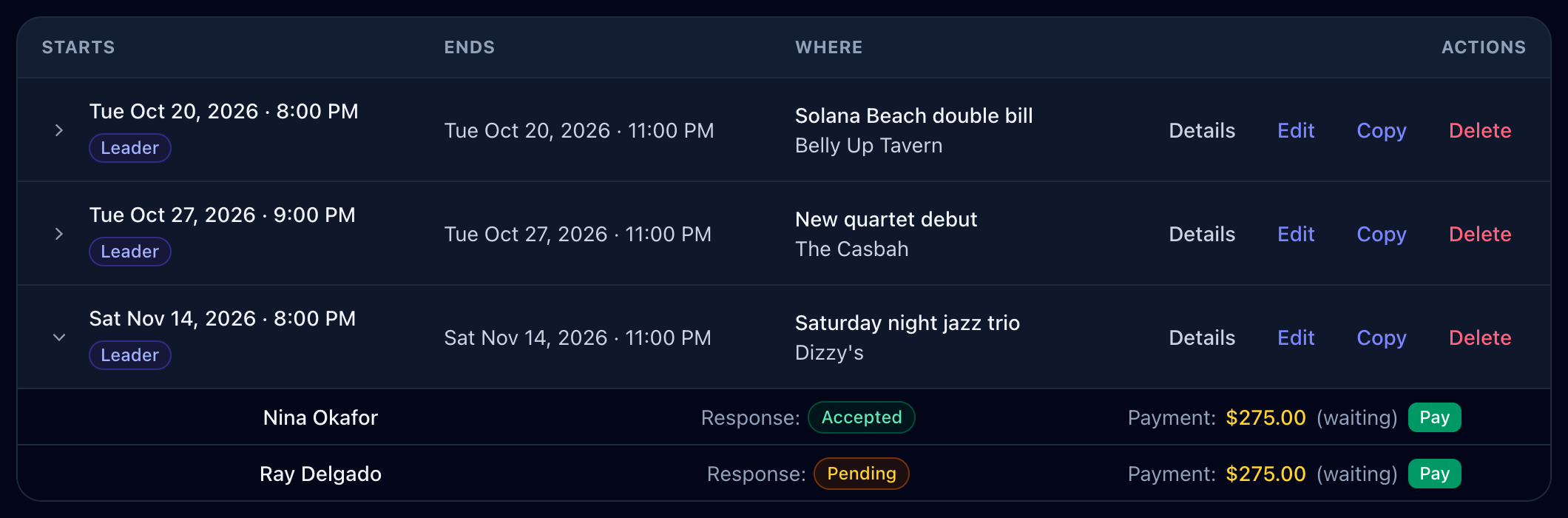
See who can make it
Every answer lands on the gig as it comes in. Open any gig to see who accepted, who has not answered yet, and who you still need to find.
-
Put it on your calendar
Once the band is booked, add the gig to Apple, Outlook or Google Calendar with one click. Leaders and musicians both get the button.
Saturday night jazz trio
Sat, Nov 14, 8:00 to 11:00 PM at Dizzy's
Apple / Outlook Google CalendarSat
14
Saturday night jazz trio
8:00 PM, Dizzy's
-
Track who has been paid
Each musician's pay sits on the gig next to their name. Mark it paid when the money goes out, and see at a glance who is still waiting to be paid.
Bayside dinner set
Mon, Sep 21 at Humphreys by the Bay
- Dee Sandoval $275.00 Paid
- Miles Carrington $275.00 Pay
- Etta Brooks $275.00 Pay
-
Hand over the numbers at tax time
Pick any musician you have hired and a date range, and download their gigs and pay as a spreadsheet. The total paid is on the last line, ready for your accountant.
etta-brooks-gigs-2026.csv
Date Venue Payment Pay status Jan 17, 2026 Dizzy's $250.00 Paid Mar 6, 2026 Westgate Hotel $400.00 Paid Sep 21, 2026 Humphreys by the Bay $275.00 Paid Total paid $925.00
A band leader books you, and every detail comes to you. Here's what happens next.
-
Get the invitation
When a band leader books you, the invitation arrives by text message, email or both, whichever you choose. The date, the venue and your pay are right in the message.
Text message, today 4:12 PM
MYGIGCALENDAR GIG INVITATION from Lou Marchetti Sat Nov 14, 2026 at 8:00 PM Dizzy's $275.00 Respond Here: mygigcalendar.app/backstage/gig_invitations/482
-
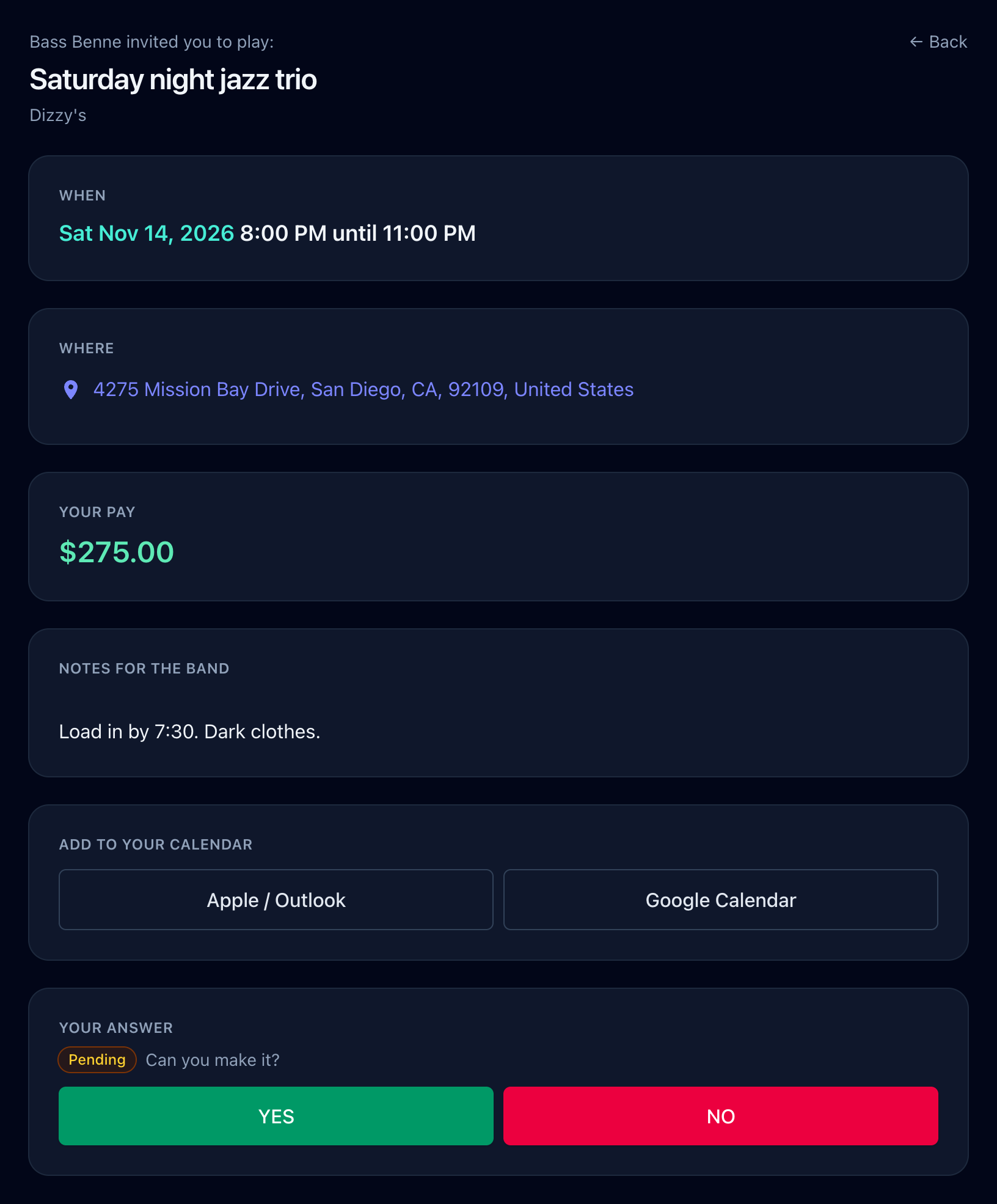
Answer yes or no
The link opens the whole gig: when it starts and ends, a map to the venue, your pay, and the leader's notes. Tap yes or no and the leader sees your answer right away.
-
Put it on your calendar
Add the gig to Apple, Outlook or Google Calendar with one click, so it sits next to everything else in your week.
Saturday night jazz trio
Sat, Nov 14, 8:00 to 11:00 PM at Dizzy's
Apple / Outlook Google CalendarSat
14
Saturday night jazz trio
8:00 PM, Dizzy's
-
Keep every gig in one list
Every gig you have said yes to waits on your home page with the date, the venue, who is leading it and what it pays. No more digging through old texts.
Side Musician Gigs
-
Sat Nov 14 8:00 PM
Saturday night jazz trio, Dizzy's
From Lou Marchetti
$275.00
-
Fri Nov 20 7:00 PM
Gala dinner, quartet, Westgate Hotel
From Etta Brooks
$400.00
-
Sun Dec 6 11:00 AM
Holiday brunch, Humphreys by the Bay
From Lou Marchetti
$180.00
-
-
Show people where you're playing
The gigs you accept appear on your own public page, plus a feed a web developer can add to your website. Gigs a leader marks private stay off both.
mygigcalendar.app/ray-delgado/gigs
Ray Delgado's gigs
Saturday, November 14
Lou Marchetti Trio
8:00 PM until 11:00 PM at Dizzy's
Friday, November 20
Etta Brooks Quartet
7:00 PM until 10:30 PM at Westgate Hotel
Avoid booking mistakes and save yourself money.
Fewer texts to send and chase
Invitations go out together, and the answers come back to one page. No more scrolling through threads to see who said yes.
Fewer booking mistakes
Every gig, invitation and answer sits in one place, so it's easier to catch a clash before it turns into a double booking.
Same details, fewer mistakes
Time, place, pay and notes come from the gig itself, so no one is working from an old or mistyped text.
Gigs and pay in one spot
See what's booked, who's playing and who's been paid without digging through texts, notes or spreadsheets.
Questions musicians ask
Looking for step-by-step help? Read the full FAQ.
Still have a question? [email protected]
Do the musicians I hire need an account?
Yes. You can only invite musicians who have signed up, so their invitations, answers and pay all stay in one place. Signing up as a side musician is free, and you can send anyone a sign-up link from your musician list.
How do musicians hear about a gig?
They get an invitation by text message or email, whichever they choose, with the date, the place and their pay. They answer yes or no from the link in that message.
Can I show my gigs on my own website?
Yes. Every musician gets a public page listing their upcoming gigs, and a JSON feed of the same gigs that a web developer can drop into your site. Private gigs stay off both.
Will it do my taxes?
No, but it gets you most of the way there. A band leader can download any musician's gigs and pay for a date range as a spreadsheet, with the total paid at the bottom, to hand to an accountant.
Does it work on my phone?
Yes. Everything works in your phone's browser, so you can answer an invitation or mark someone paid from the green room.
Your next gig can start here.
Sign up free